Custom Material Output Node in UE5
Learn how to make a fully custom material output node with no source edits (only engine shaders)
Introduction
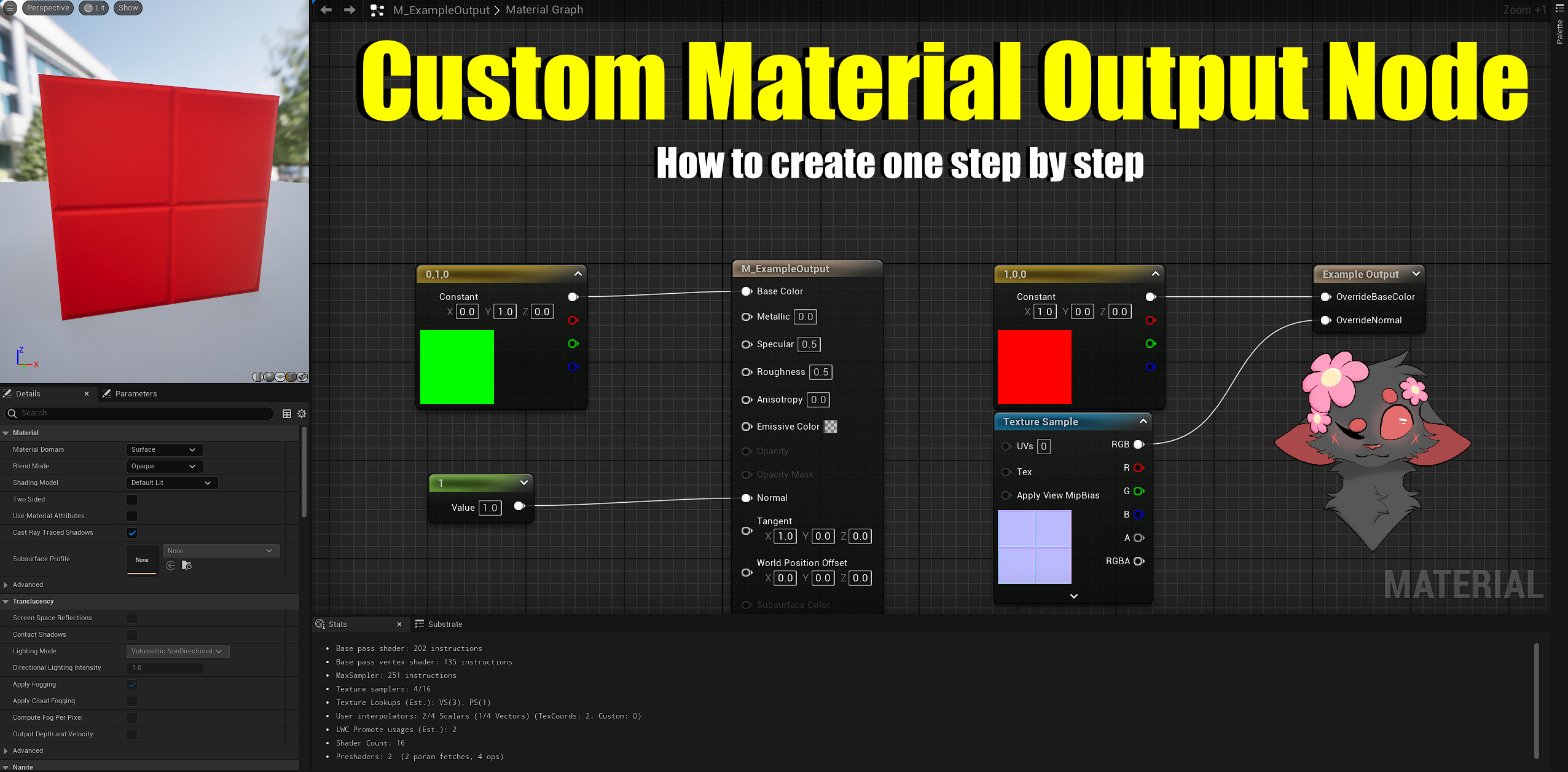
In this post you’ll learn to add a custom material output, technically called a MaterialExpressionCustomOutput, to your material graphs.
Those can se extremely useful if you want to directly interface with the shader files while passing your own custom values inside of it.
In this example we’ll use it to directly replace the BaseColor and Normal of a Material.
SourceModare comments that indicate it’s a Source Engine edit.
Sometimes may be included above snippets of code to showcase where a certain code snippet should be placed.
You only need to include code snippets withSourceModcomment
For example:
MaterialExpressionExampleOutput
A MaterialExpressionCustomOutput is file that defines the Input parameters of the Custom Output node.
You can find examples of this in Engine/Source/Runtime/Engine/Classes/Materials/
We’ll be creating our Custom Output node class in the project’s source.
For our example we’ll name them MaterialExpressionExampleOutput.h and MaterialExpressionExampleOutput.cpp
MaterialExpressionExampleOutput.h
Here you can define your inputs properties with FExpressionInput
You can define parameters on node selection too, look at ExampleEditorParameter
1
2
3
4
5
6
7
8
9
10
11
12
13
14
15
16
17
18
19
20
21
22
23
24
25
26
27
28
29
30
31
32
33
34
35
36
37
38
39
#pragma once

#include "CoreMinimal.h"
#include "Materials/MaterialExpressionCustomOutput.h"
#include "UObject/ObjectMacros.h"
#include "MaterialExpressionExampleOutput.generated.h"

/** Material output expression for writing BaseColor and Normal material properties overrides. */
UCLASS(MinimalAPI, collapsecategories, hidecategories = Object)
class UMaterialExpressionExampleOutput : public UMaterialExpressionCustomOutput
{
	GENERATED_UCLASS_BODY()

	/** The override BaseColor */
	UPROPERTY()
	FExpressionInput OverrideBaseColor;

	/** The override Normal */
	UPROPERTY()
	FExpressionInput OverrideNormal;

  /** This is available in the material editor when selecting this node */
	UPROPERTY(EditAnywhere, Category = "ExampleCategory")
	float ExampleEditorParameter;

public:
#if WITH_EDITOR
	//~ Begin UMaterialExpression Interface
	virtual int32 Compile(class FMaterialCompiler* Compiler, int32 OutputIndex) override;
	virtual void GetCaption(TArray<FString>& OutCaptions) const override;
	//~ End UMaterialExpression Interface
	#endif

	//~ Begin UMaterialExpressionCustomOutput Interface
	virtual int32 GetNumOutputs() const override;
	virtual FString GetFunctionName() const override;
	virtual FString GetDisplayName() const override;
	//~ End UMaterialExpressionCustomOutput Interface
};
MaterialExpressionExampleOutput.cpp
In the constructor you’re only interested in NAME_Output(LOCTEXT( "ExampleCategory", "ExampleCategory" )) for the category that will show up when searching up the node in the material graph.
In the compile function we check if any pin is connected, you can see it happening with !OverrideBaseColor.IsConnected(), if not we throw a compiler error Compiler->Error(TEXT("No inputs to Example Output."));
In the next step we generate indexes for each matching input pin, so we can use it in something like BasePixelShader.usf, if nothing is connected to that pin we return a default value.
Finally we instruct the Compiler to compile the Output node with Compiler->CustomOutput(this, OutputIndex, CodeInput);
1
2
3
4
5
6
7
8
9
10
11
12
13
14
15
16
17
18
19
20
21
22
23
24
25
26
27
28
29
30
31
32
33
34
35
36
37
38
39
40
41
42
43
44
45
46
47
48
49
50
51
52
53
54
55
56
57
58
59
60
61
62
63
64
65
66
67
68
69
70
71
72
73
74
75
76
77
78
79
80
81
82
83
84
85
86
87
88
89
90
91
#include "MaterialExpressionExampleOutput.h"
#include "MaterialCompiler.h"

// https://docs.unrealengine.com/5.4/en-US/text-localization-in-unreal-engine/
#define LOCTEXT_NAMESPACE "MaterialExpression"

#if WITH_EDITOR

UMaterialExpressionExampleOutput::UMaterialExpressionExampleOutput(const FObjectInitializer& ObjectInitializer)
	: Super(ObjectInitializer)
{
	// Structure to hold one-time initialization
	struct FConstructorStatics
	{
		FText NAME_Output;
		// This is used for placing the expression in the correct category
		FConstructorStatics()
			: NAME_Output(LOCTEXT( "ExampleCategory", "ExampleCategory" ))
		{
		}
	};
	static FConstructorStatics ConstructorStatics;

#if WITH_EDITORONLY_DATA
	MenuCategories.Add(ConstructorStatics.NAME_Output);
#endif

#if WITH_EDITORONLY_DATA
	Outputs.Reset(); // Remove the default output pin
#endif
}

int32 UMaterialExpressionExampleOutput::Compile(class FMaterialCompiler* Compiler, int32 OutputIndex)
{
	int32 CodeInput = INDEX_NONE;

	static const auto CVarStrata = IConsoleManager::Get().FindTConsoleVariableDataInt(TEXT("r.Strata"));
	const bool bStrata = CVarStrata ? CVarStrata->GetValueOnAnyThread() > 0 : false;

	// We check if any pin is connected
	if (!OverrideBaseColor.IsConnected()
		&& !OverrideNormal.IsConnected()
		&& !bStrata)
	{
		Compiler->Error(TEXT("No inputs to Example Output."));
	}

	// Generates function names GetExampleOutput{index} used in BasePixelShader.usf.
	if (OutputIndex == 0)
	{
		CodeInput = OverrideBaseColor.IsConnected() ? OverrideBaseColor.Compile(Compiler) : Compiler->Constant3(0.f, 0.f, 0.f);;
	}
	else if (OutputIndex == 1)
	{
		CodeInput = OverrideNormal.IsConnected() ? OverrideNormal.Compile(Compiler) : Compiler->Constant3(0.f, 0.f, 1.f);
	}


	// We compile our ExampleOutput
	return Compiler->CustomOutput(this, OutputIndex, CodeInput);
}


// Name that shows inside the material graph
void UMaterialExpressionExampleOutput::GetCaption(TArray<FString>& OutCaptions) const
{
	OutCaptions.Add(FString(TEXT("Example Output")));
}

#endif // WITH_EDITOR

// Should match the number of Inputs into the Custom Output
int32 UMaterialExpressionExampleOutput::GetNumOutputs() const
{
	return 2;
}

// Setup for using in something like BasePixelShader.usf
// Example usage: GetExampleOutput1(MaterialParameters)
FString UMaterialExpressionExampleOutput::GetFunctionName() const
{
	return TEXT("GetExampleOutput");
}

// Display name of the node
FString UMaterialExpressionExampleOutput::GetDisplayName() const
{
	return TEXT("Example Output");
}

#undef LOCTEXT_NAMESPACE
Testing the code
Create a new Material and search the name of the Custom Output node, in this case ExampleOutput.
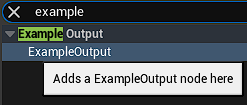
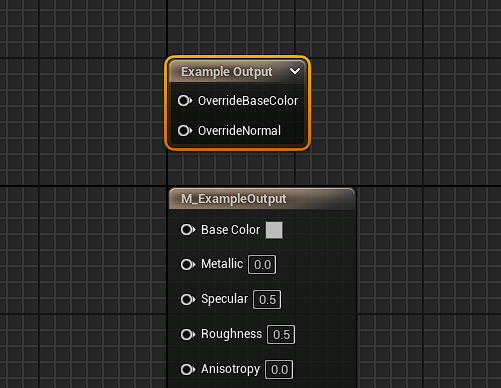
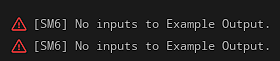 As you can see, we get the error for not having any inputs connected to the Example Output node.
If we connect anything to OverrideBaseColor or to OverrideNormal it’ll compile.
Making it actually work
BasePassPixelShader.usf
The part where the magic happens is this one.
We will assume we don’t have Substrate enabled.
1
2
3
4
5
6
7
8
9
// Store the results in local variables and reuse instead of calling the functions multiple times.
half3 BaseColor = GetMaterialBaseColor(PixelMaterialInputs);
half  Metallic = GetMaterialMetallic(PixelMaterialInputs);
half  Specular = GetMaterialSpecular(PixelMaterialInputs);

float Roughness = GetMaterialRoughness(PixelMaterialInputs);
float Anisotropy = GetMaterialAnisotropy(PixelMaterialInputs);
uint ShadingModel = GetMaterialShadingModel(PixelMaterialInputs);
half Opacity = GetMaterialOpacity(PixelMaterialInputs);
We see the BaseColor that we’ll need to override, but not the Normal.
Chose the Normal specifically beacuse it’s in a different file, but the structure is similar.
The end result should look like this:
1
2
3
4
5
6
7
	// SourceMod: OverrideBaseColor shader implementation
#if NUM_MATERIAL_OUTPUTS_GETEXAMPLEOUTPUT > 0
	// Get Index 0 which in this case is OverrideBaseColor
	half3 BaseColor = GetExampleOutput0(MaterialParameters);
#else
  half3 BaseColor = GetMaterialBaseColor(PixelMaterialInputs);
#endif
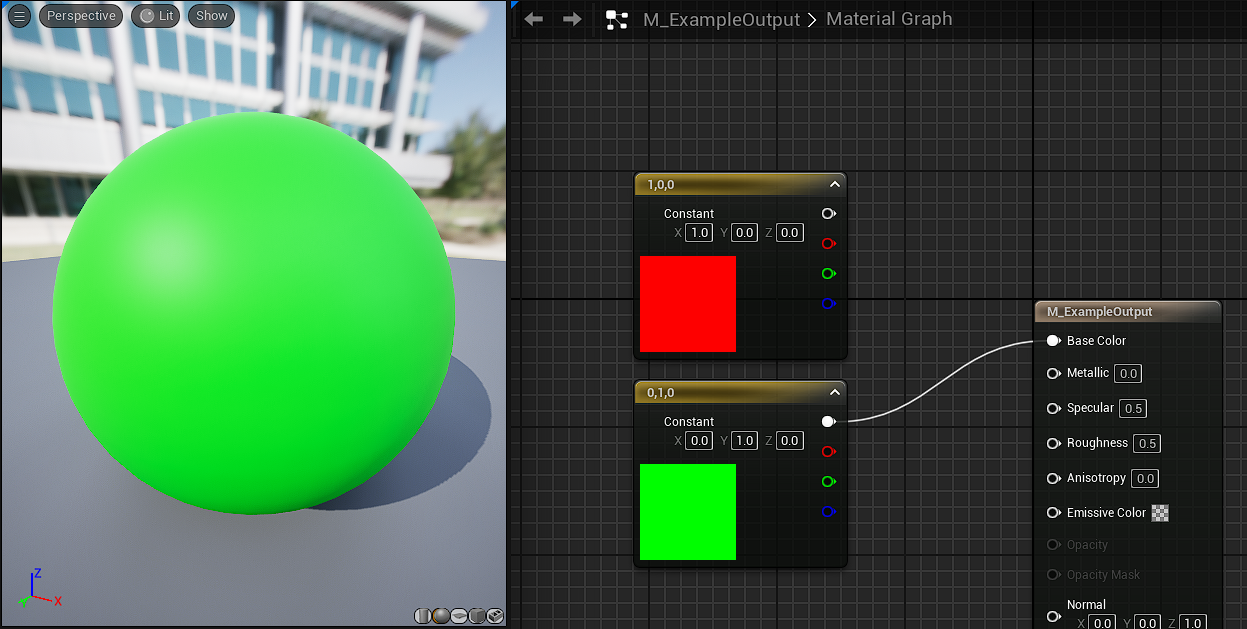
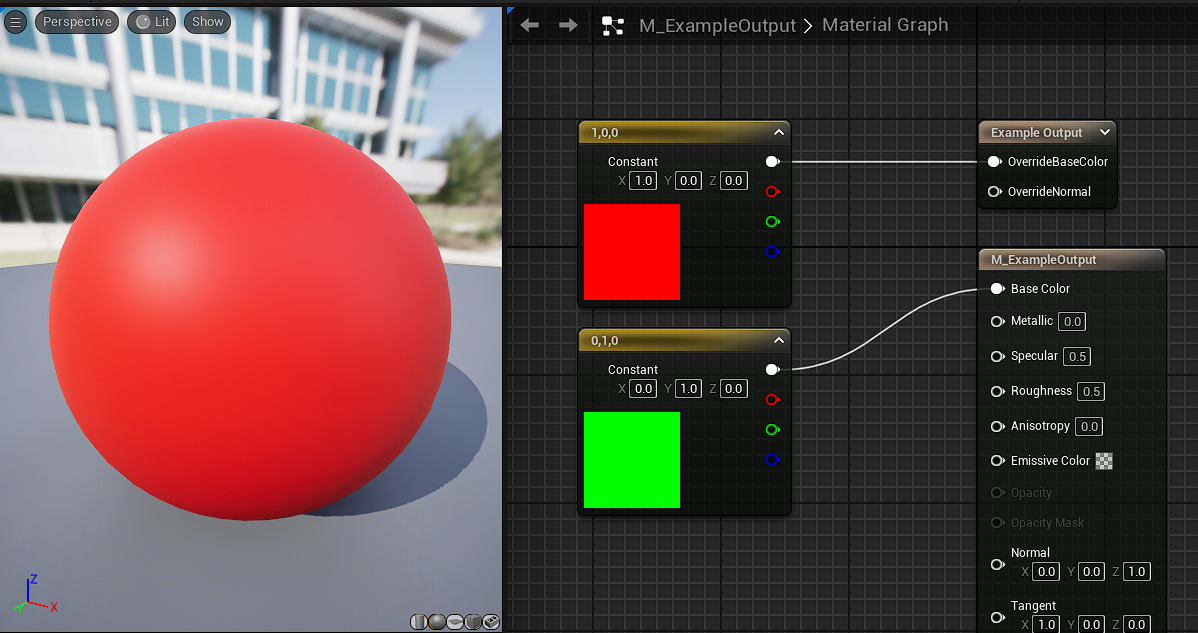
MaterialTemplate.ush
It’s time to do the same for the Normal, which is located in MaterialTemplate.ush.
1
2
// Note that here MaterialNormal can be in world space or tangent space
float3 MaterialNormal = GetMaterialNormal(Parameters, PixelMaterialInputs);
Following the same we did above, the end result will look like this:
1
2
3
4
5
6
7
8
	// Note that here MaterialNormal can be in world space or tangent space
	// SourceMod: Example material template branch implementation
#if NUM_MATERIAL_OUTPUTS_GETEXAMPLEOUTPUT > 0
  // Get Index 1 which in this case is OverrideNormal
	float3 MaterialNormal = GetExampleOutput1(Parameters);
#else
  float3 MaterialNormal = GetMaterialNormal(Parameters, PixelMaterialInputs);
#endif
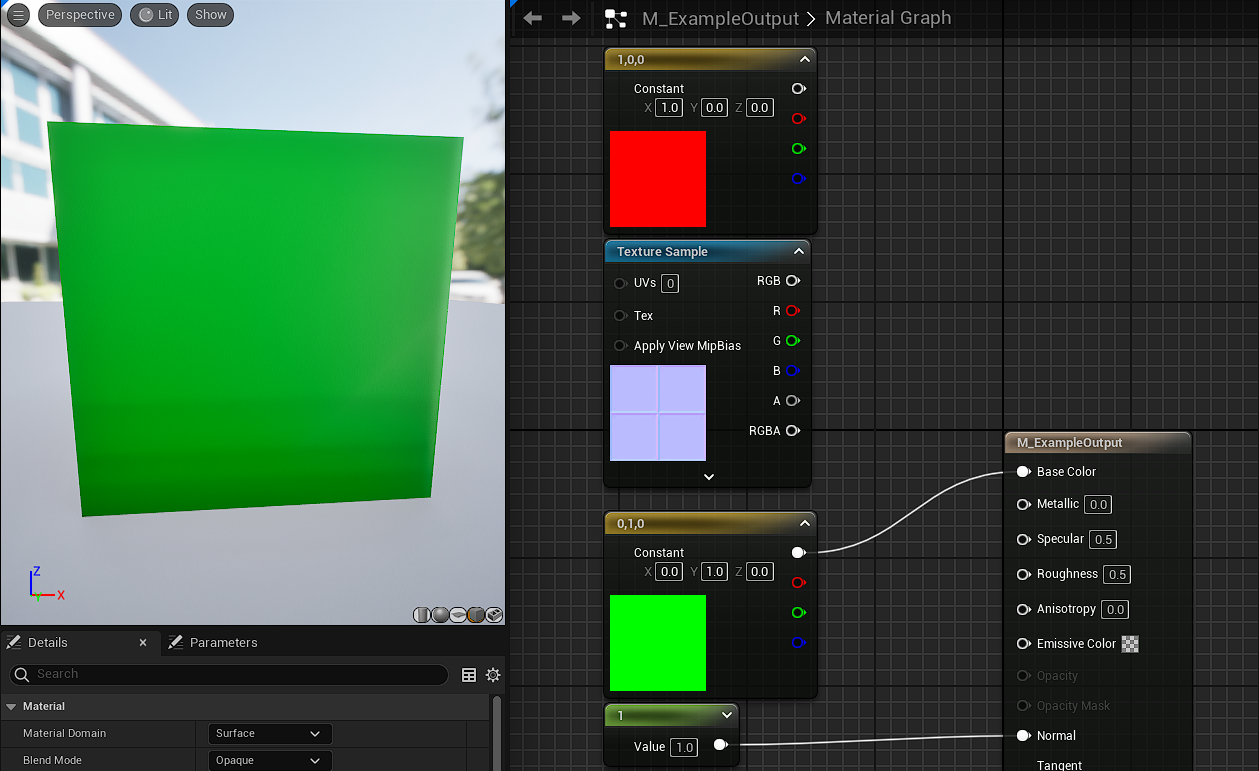
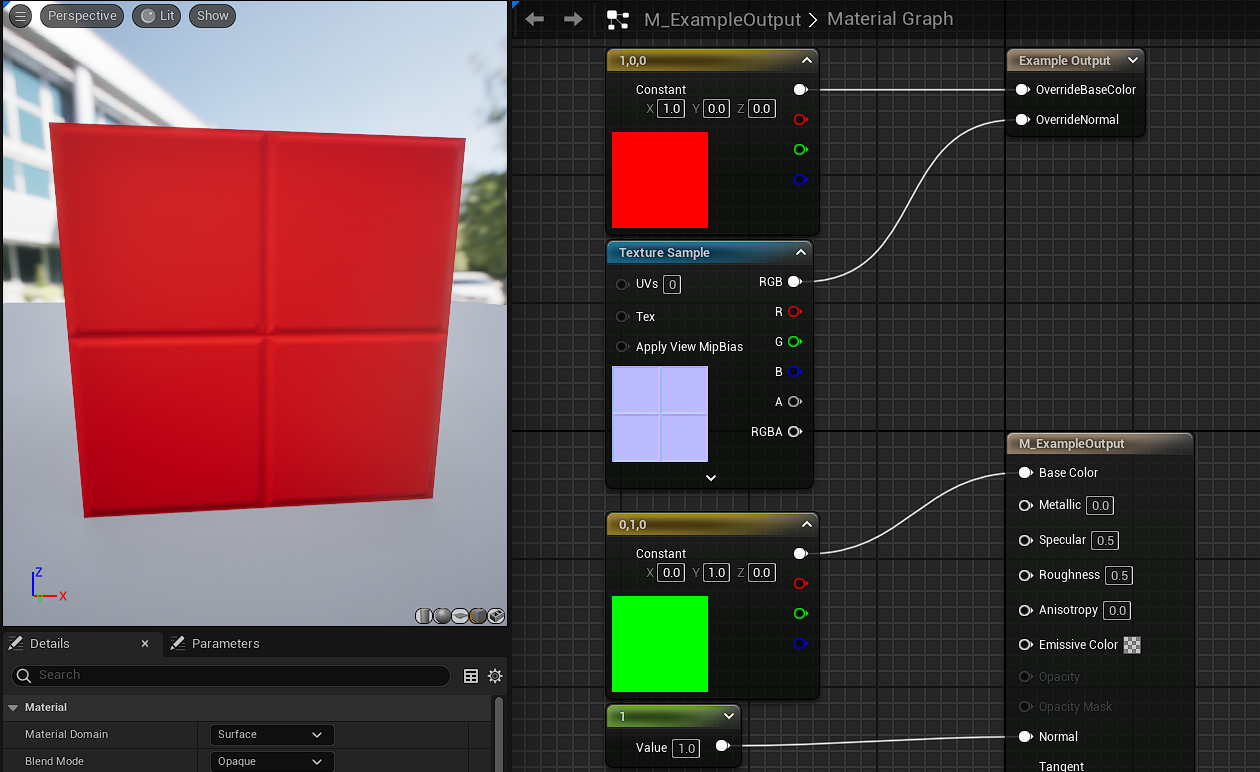
What is NUM_MATERIAL_OUTPUTS_GETEXAMPLEOUTPUT
It may be confusing where it’s coming from at first glance.
All you need to know is that it’s an auto generated define based on GetFunctionName() and GetNumOutputs()
This enables us to use NUM_MATERIAL_OUTPUTS_GETEXAMPLEOUTPUT to easily check if the Custom Output node is present in the material graph.
If you’re curious to see how it’s generated, this is the main part of it which you can search:
1
ResourcesString += FString::Printf(TEXT("#define NUM_MATERIAL_OUTPUTS_%s %d\n"), *CustomOutput->GetFunctionName().ToUpper(), NumOutputs);
Conclusions
In conclusion, you now have the full power to pass any parameter into the Material Graph and modify how the Engine compiles a Material in HLSL.
This is a very basic example that assumes both nodes will be connected, you can of course create your own exceptions and checks for connections, making so only connected pins are considered for example.
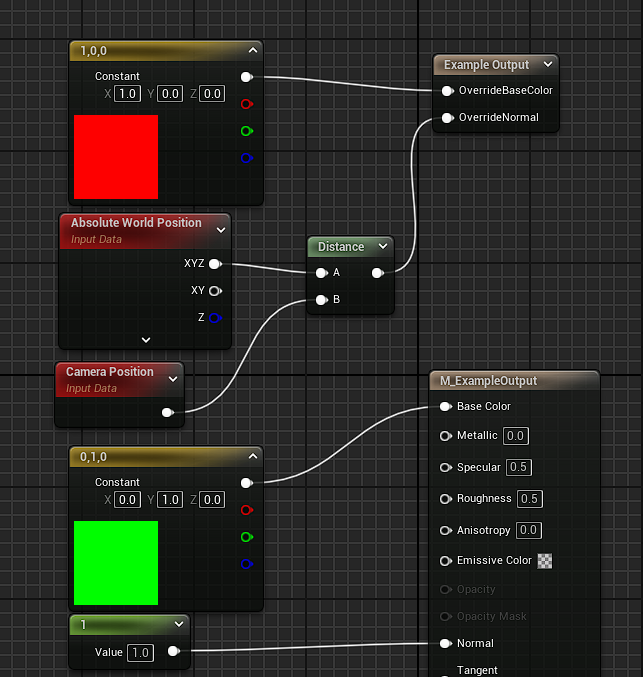
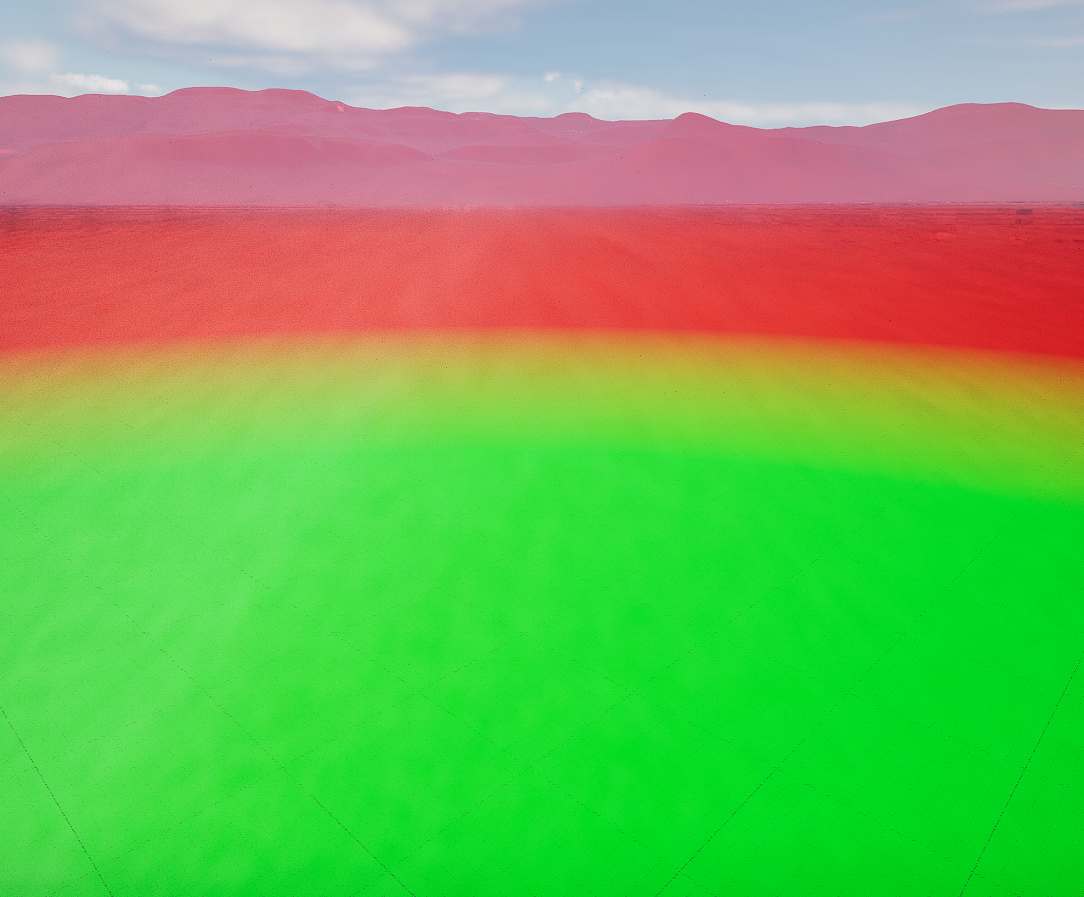
Or you can create fancier effects, like lerping between BaseColor and OvverideBase color:
1
2
3
4
5
6
7
8
9
10
11
12
13
14
15
16
17
18
19
20
21
22
23
24
25
26
// We use the OverrideNormal as an Injection example, ideally would create another ExampleOutput
// but instead we use the x value (the first one) of the Normal Vector for the Distance for the quick and dirty example
float Distance =  GetExampleOutput1(MaterialParameters).x;
float InMin = 1000.f;
float InMax = 2000.f;
float OutMin = 1.f;
float OutMax = 0.f;

float LerpAlpha = (Distance - InMin) * (OutMax - OutMin) / (InMax - InMin) + OutMin;


half3 BaseColor = 0;

BRANCH
if (LerpAlpha <= 0)
{
	BaseColor = GetExampleOutput0(MaterialParameters);
}
else if (LerpAlpha > 0 && LerpAlpha < 1 )
{
	BaseColor = lerp(GetExampleOutput0(MaterialParameters), GetMaterialBaseColor(PixelMaterialInputs), LerpAlpha);
}
else
{
	BaseColor = GetMaterialBaseColor(PixelMaterialInputs);
}
For any doubts or clarifications, don’t hesitate to contact me!